![[Back]](../buttons/back.gif) Back to Linking Documents with HTML
Back to Linking Documents with HTML
![[Up]](../buttons/up.gif) Up to the Contents page
Up to the Contents page
How do you write a link to
another service on your home server, or to a different Web site entirely,
somewhere else on the Internet? The answer the Uniform Resource Locator (URL), which
is the unique, Internet "address" of a file or Internet service. It locates files or
resources on yours or another Web server. A URL gives the type of resource being
accessed (e.g., Gopher, FTP) and the path of the file. The generic URL format is:
The port number usually can be omitted from the URL, as most Internet services use standard port numbers. Scheme is one of:
A URL that would make the text All about Web publishing a hyperlink pointing to the HTML document publishing.html in the directory Root/Courses/Publishing on the Web server at ola.bc.ca would be:
<A HREF="http://www.ola.bc.ca/Courses/Publishing/publishing.html">
All about Web publishing</A>
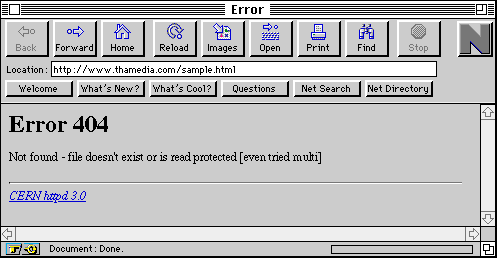
If a relative or an absolute link is wrong, you will get the infamous message Error 404, which his has given rise to the web surfer jargon: "he (or she's) 404" for someone who is not entirely linked to reality. The Error 404 message means that either the requested file has been moved or the URL link has been written incorrectly. Check all your links carefully for 404 errors, before you finish your HTML files.
Back to Linking Documents with HTML
Up to the Contents page